By
Justin SabrinaUpdated on December 11, 2025
Summary
Do you want to download Apple Music to WAV lossless? To help you enjoy Apple Music songs in WAV, this guide will introduce two methods to convert Apple Music songs to WAV: using
UkeySoft Apple Music Converter and iTunes.
Are you looking for a way to share your Apple Music with friends who have PC only? Would you like to burn Apple Music to CDs for collection? Are there any solutions to Apple Music to FLAC? Although Apple Music lets download music for offline listening, it still sets several limitation for usage and playback. Therefore, you may want to convert Apple Music to WAV audio format, which is compatible with most music players and devices.
Thankfully, with the right tools, it is possible to convert Apple Music songs to WAV format for a better listening experience. This article will introduce you to two simple ways to decrypt Apple Music in WAV without quality loss. After that, you can easily enjoy Apple Music songs in WAV lossless. Let's explore!
CONTENTS
Part 1. What is WAV? Why Need to Convert Apple Music to WAV?
Waveform Audio (.WAV)
The Waveform Audio File Format (WAV), also known as WAVE, is an audio file format. It is considered a "first-generation" format with no compression except with some manipulations in order to store the sound digitally, resulting in larger sizes compared to formats like MP3 and WMA. It stores raw audio that does not need special encoders/decoders to use, making it a very good standard for exchange with different platforms or operating systems such as Windows, Mac and Unix, Windows Media Player, MusicBee, VLC, iTunes, QuickTime, Microsoft Groove Music, Winamp, Clementine, XMMS, and probably other popular media player apps.
Apple Music AAC (.m4p) vs. WAV
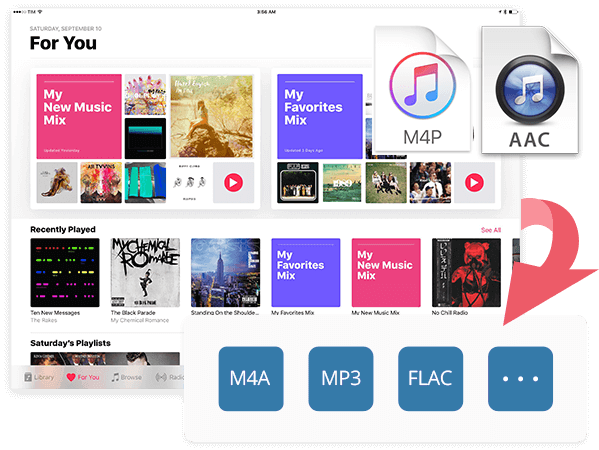
Typically, Apple Music used AAC to encode its streaming music content. An M4P file is actually Apple's AAC format. Apple Music's AAC (.m4p) is a protected, compressed audio format (MPEG-4) used for downloaded subscription music. This means users can only access and enjoy the downloaded music tracks within the Apple Music app or iTunes. By comparison, WAV is a high-quality, largely uncompressed audio format, excellent for professional editing and playback.
|
|
Apple Music AAC (.m4p) |
WAV |
|
DRM-protected |
Yes |
No |
|
Audio Bitrate |
Compressed, about 256kbps |
Uncompressed, nearly CDs at 1,411 kbps at 16 bit |
|
Compatibility |
Apple Music app, iTunes |
WAM, VLC, iTunes, QuickTime, MusicBee, Poweramp, etc. |
For these reasons, many people may want to convert Apple Music to WAV files. The most efficient way to do so is to utilize a professional Apple Music to WAV converter. keep reading.
Part 2. Convert Apple Music to WAV Using Professional Converter
Due to Apple Music FairPlay DRM protection, you can not directly get WAV files from Apple Music. If you aim to convert Apple Music to WAV in lossless way, you can turn to the professional desktop program - UkeySoft Apple Music Converter.
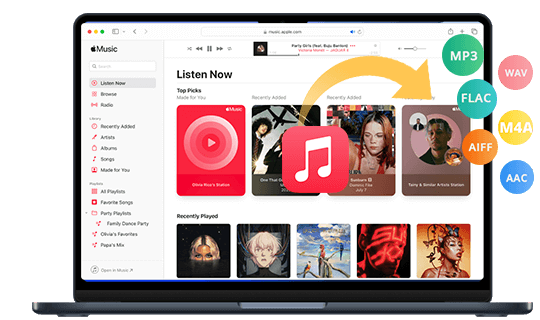
It is easy to use and needs no Apple Music app or iTunes. This excellent tool works effortlessly to remove DRM from Apple Music so you can enjoy, use and transfer Apple Music to any device without restrictions. It can convert Apple Music songs to WAV, MP3, M4A, AAC, FLAC, or AIFF formats with original quality preserved.
Unlike other online Apple Music downloaders that require to copy&paste URL method and download it one by one, UkeySoft software simplifies and boosts the music downloads. With advanced technology and support, it processes a 16X lightning speed to let you batch download songs, albums, artists, and from Apple Music web player with just a few clicks.
UkeySoft Apple Music Converter
- Built-in Apple Music web player, music player and music manager.
- Download Apple Music without the Apple Music App or iTunes.
- Support multiple output formats: WAV, MP3, FLAC, AAC, M4A, AIFF.
- Convert Apple Music to WAV with 100% lossless quality.
- Batch convert entire Apple Music albums or playlists at 16X speed.
- Keep title, artist, album, track number, genre, artwork, and more.
- Classify output songs by artist/album folder for easy management.
UkeySoft All-in-One Music Converter enables you to download music content from multiple streaming services and save them to WAV, FLAC, MP3, AAC, or other formats! It supports multiple streaming platforms like Apple Music, Spotify, Amazon Music, Tidal, Deezer, YouTube Music and Pandora and more directly within the software. 16X faster speed and 100% original quality output guarantee.
How to Convert Apple Music to to WAV Lossless in Batch?
Tip: System Requirements:
Windows 7 or later on 64bit required
Step 1. Run UkeySoft and Log In Apple Music Account
Download and open UkeySoft Apple Music Converter on your Windows or Mac computer, laptop. Click "Sign In" and log in to your Apple Music account. This will let you enter the whole music library.
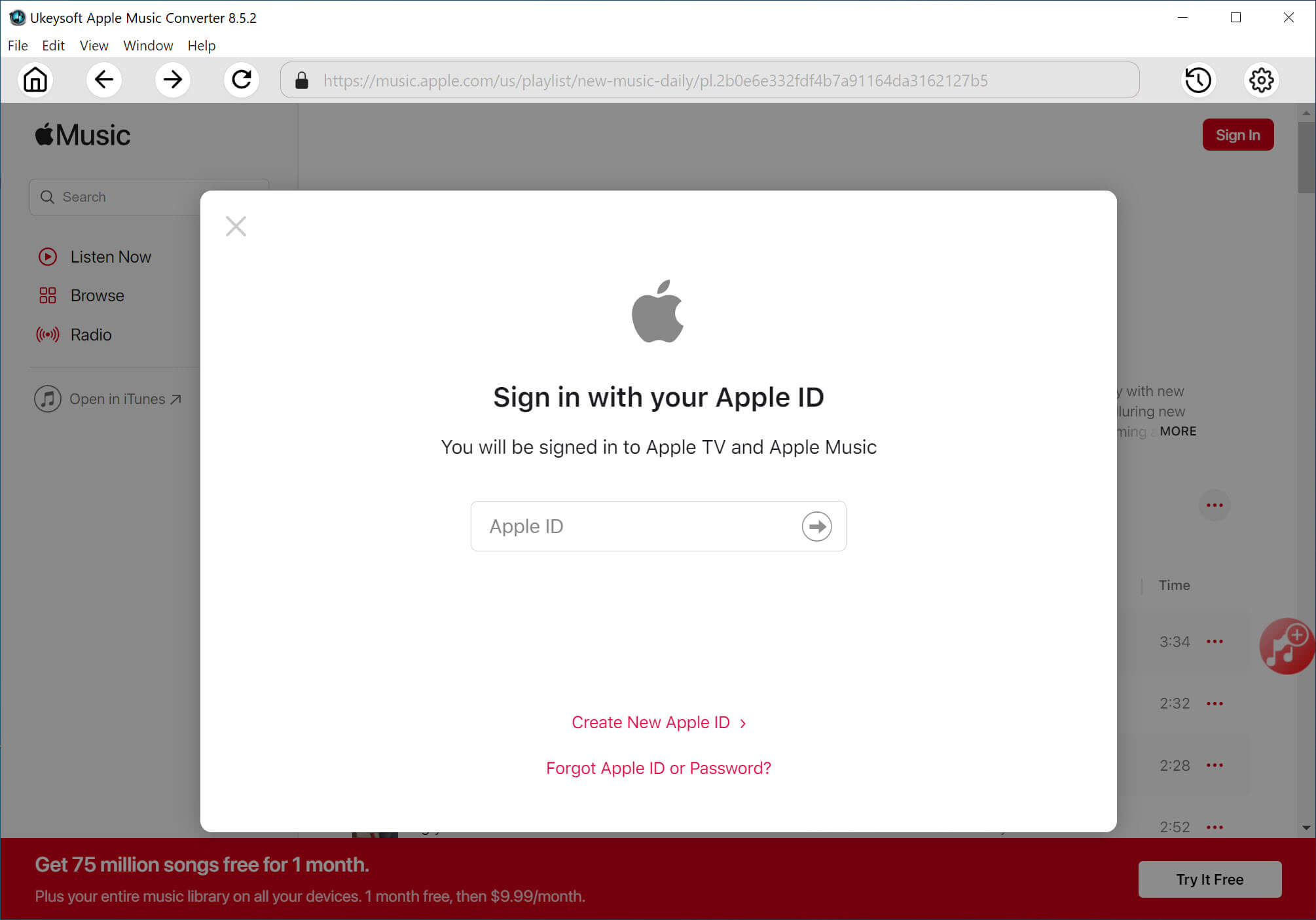
Within the interface, log into your Apple Music account using your Apple ID credentials. This grants the software access to your library, playlists, and the full Apple Music catalog.
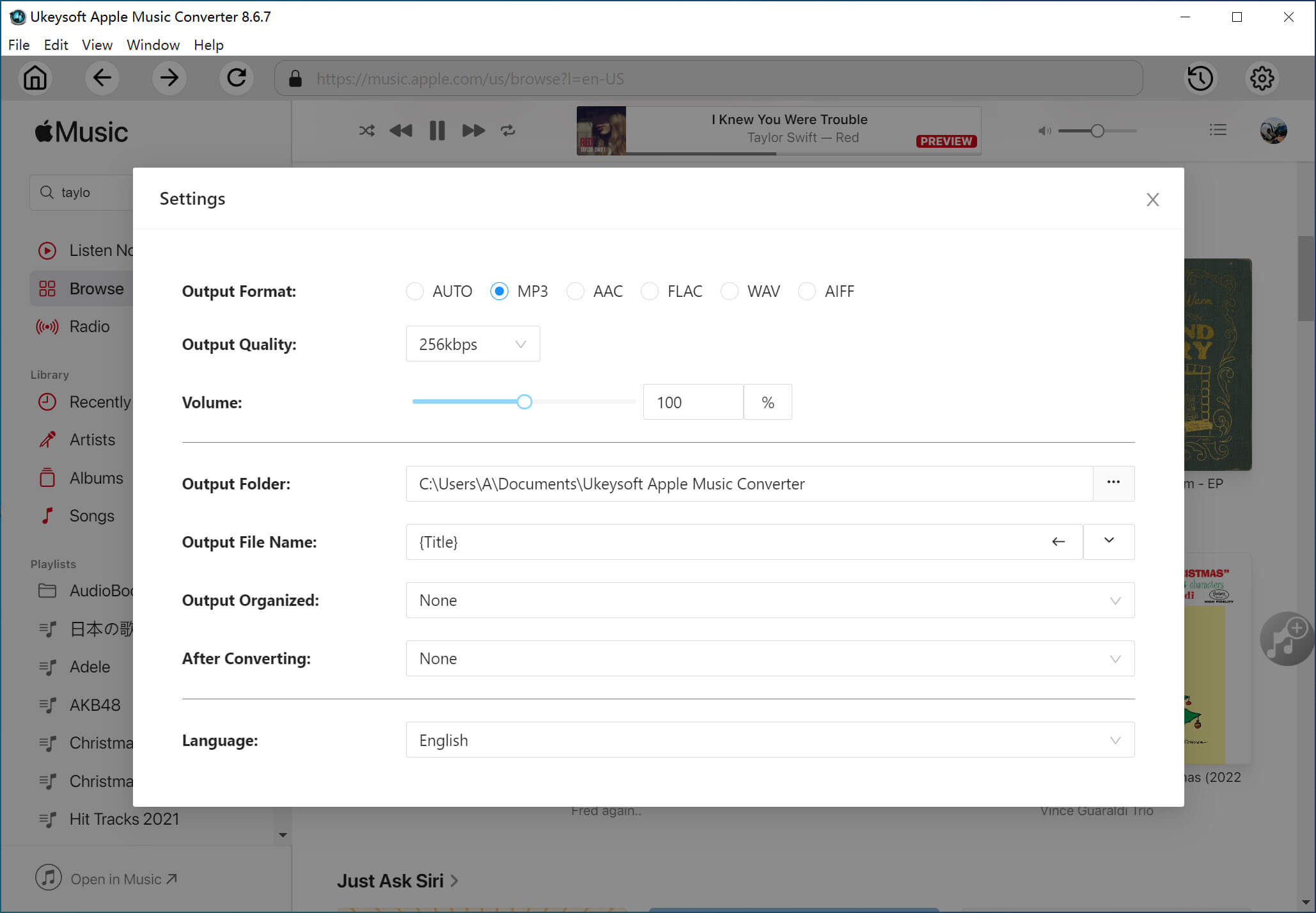
Step 2. Adjust the Output Settings
Go to the settings window by clicking the "Gear" icon at the upper right corner. In Output Format, select WAV. You can also set output folder, output quality, and output file name and more options.
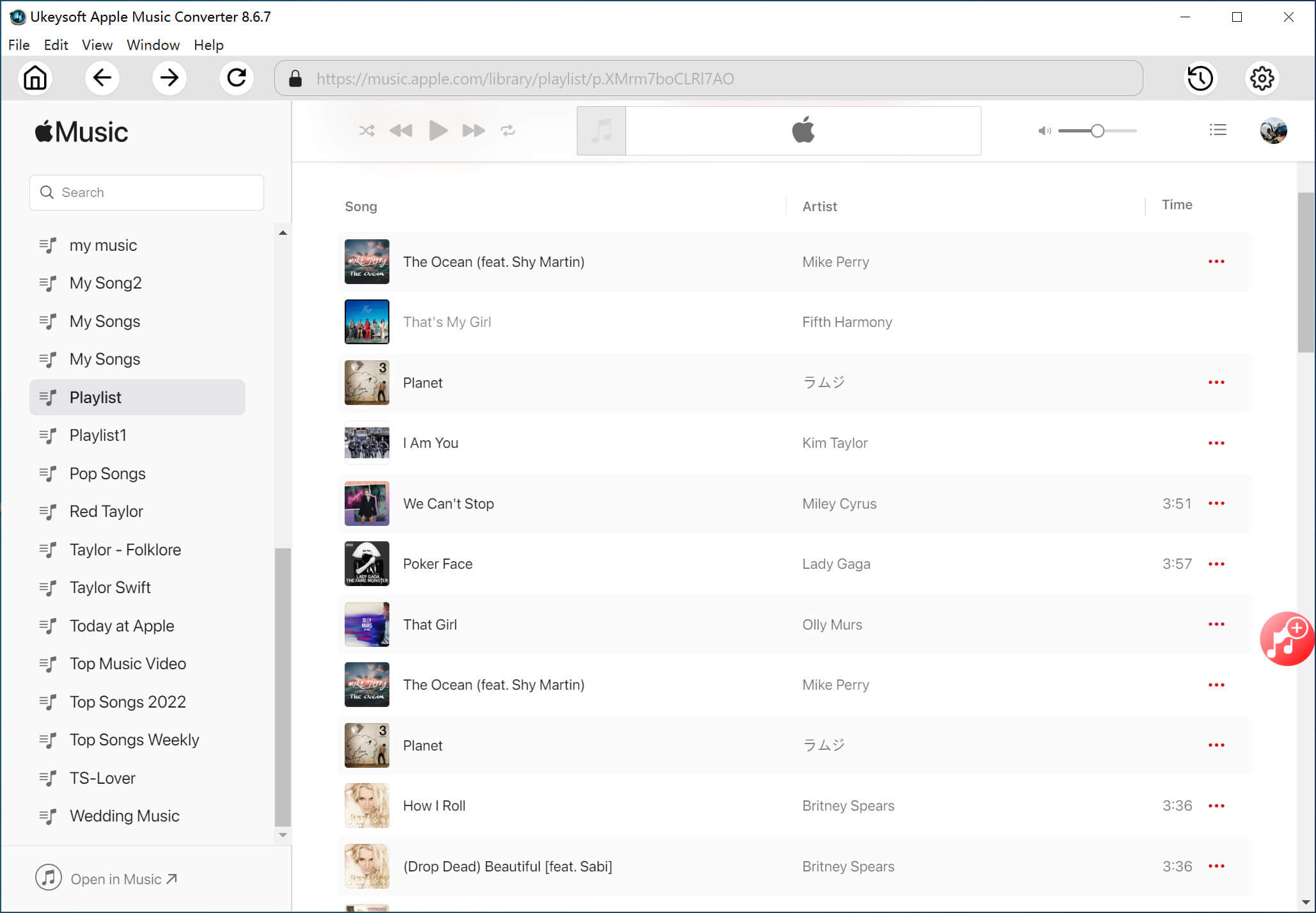
Step 3. Add and Select Apple Music Songs
Open any track, playlist, artist or album and click "Add to list" button to import the song items to the conversion queue.
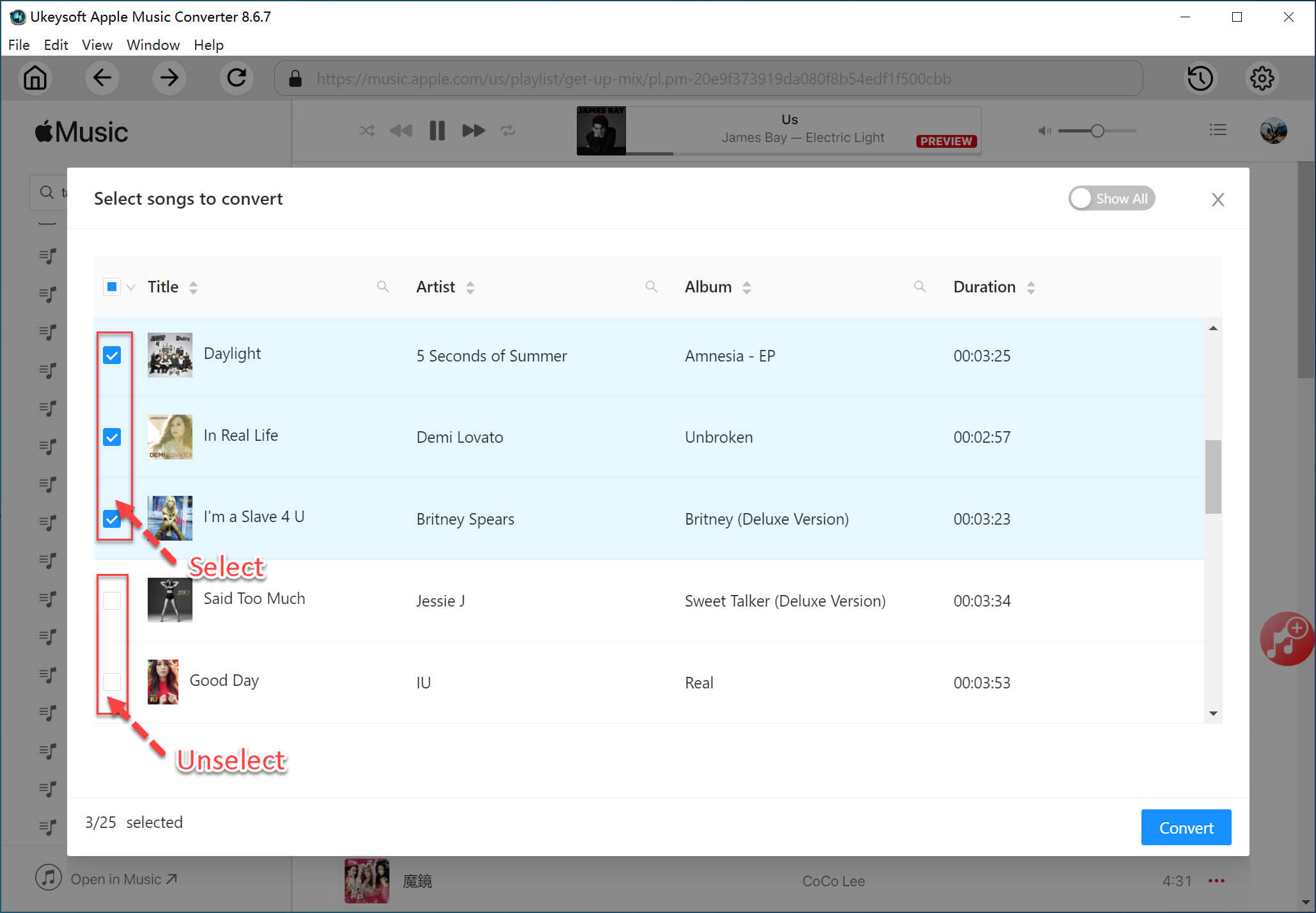
Once added, tick the blank box beside the songs for selecting to convert.
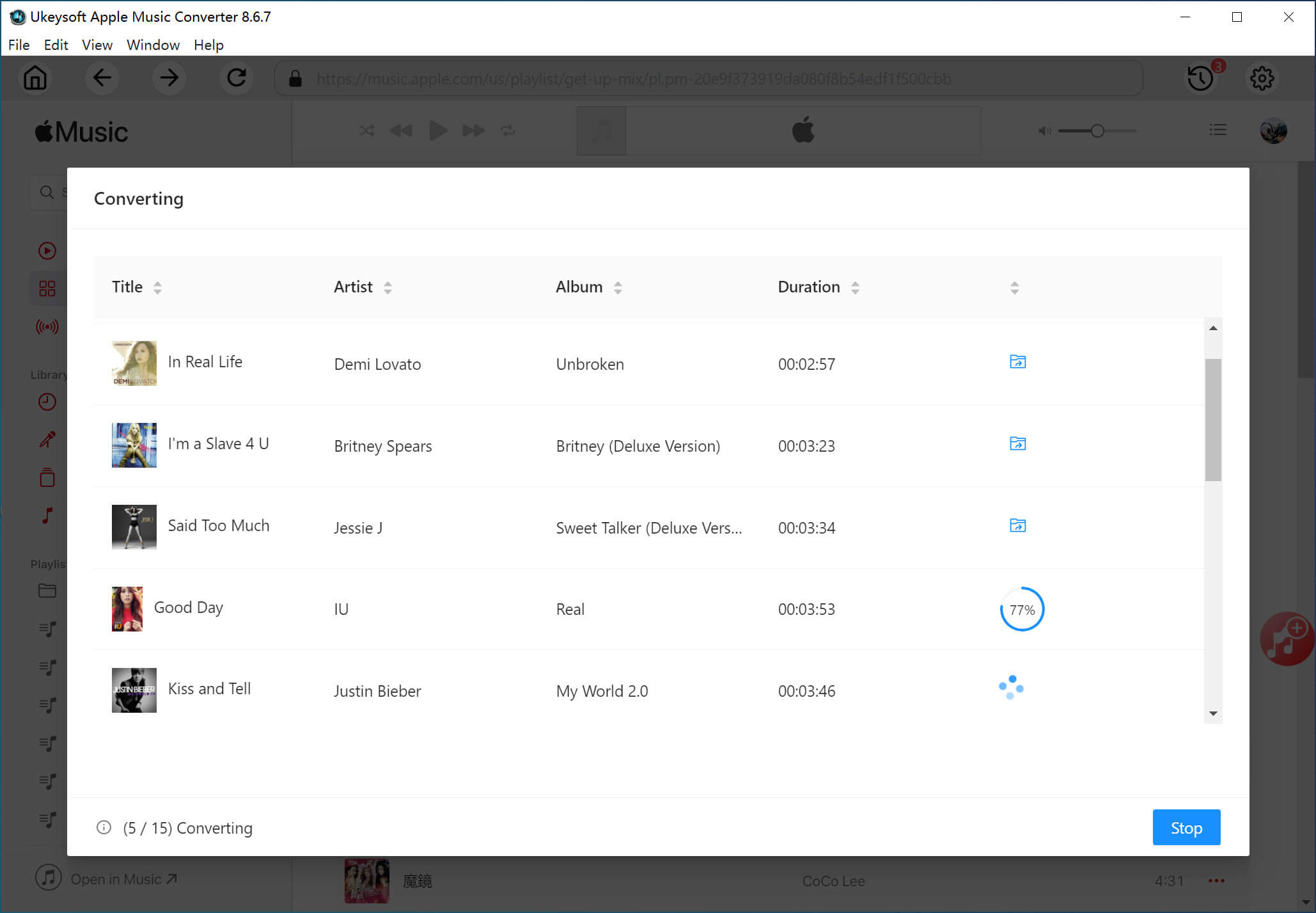
Step 4. Begin to Convert Apple Music to WAV
Finally, press on the "Convert" button, UkeySoft will start converting Apple Music songs to WAV at 16X high speed. During the process, do not use Apple Music app or iTunes.
Step 5. Access the Converted Apple Music Songs
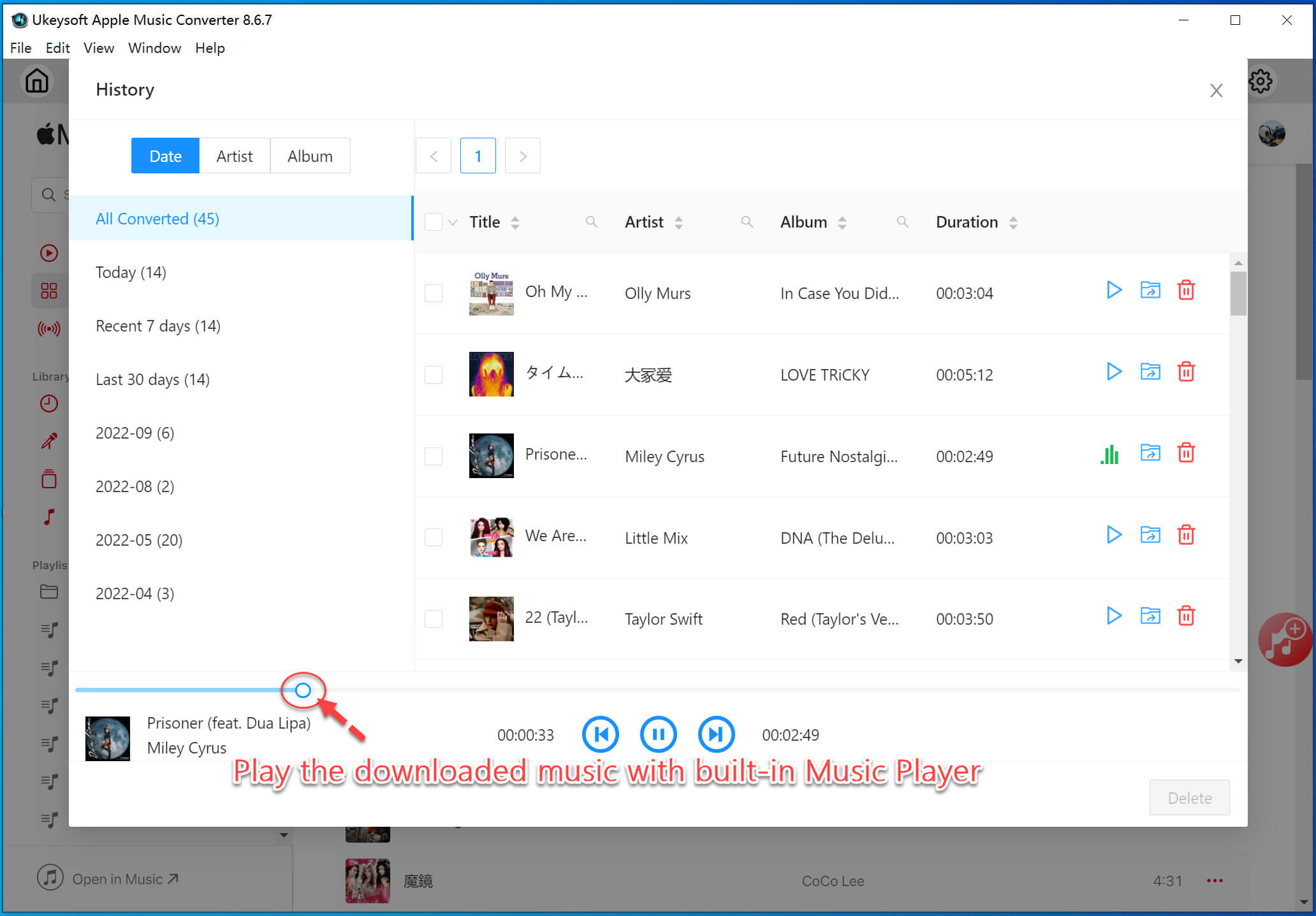
When finished, click the "History" icon at the upper right corner, open the output folder and enjoy your WAV Apple Music files anywhere! The software has a built-in music player, click on the "Play" button to listen to these lossless Apple Music songs.
Part 3. Convert Apple Music to WAV Using iTunes
You can also convert Apple Music to WAV via iTunes. iTunes is a multi-functional media player, music manager and converter. It can convert Apple Music, iTunes music and other audios into WAV, MP3, AAC formats. If you have any purchased music from iTunes Store after 2009, you are able to convert your purchased songs into WAV format in iTunes. For those purchased iTunes songs before 2009, you need to use the professional tool - UkeySoft Apple Music Converter to remove the DRM protection, then convert the songs into unprotected WAV files.
Step 1.
Open the iTunes app on your computer.
Step 2.
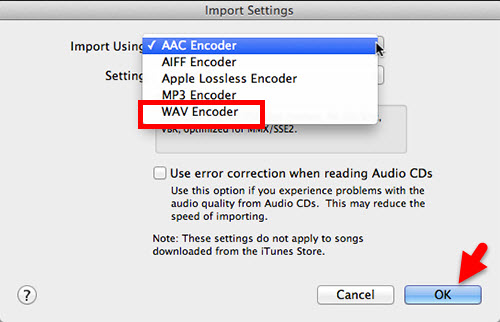
Click "Edit" > "Preference" > General" > "Import Settings".
Step 3.
It will pop up a small window, select WAV in ""Import Using". Click "OK" to save your changes.
Step 4.
In your library, choose the songs you want to convert. Go to "File" > "Convert" > "Create WAV Version" to generate a WAV file.
Part 4. FAQs about Converting Apple Music to WAV
Does Apple Music Have WAV?
No. Apple Music does not offer WAV downloads. Apple Music uses AAC and ALAC formats. To get WAV, you must convert Apple Music to WAV using a third-party tool like UkeySoft Apple Music Converter.
Are Apple Music to WAV Converters Legal?
Using an Apple Music converter is legal as long as you convert Apple Music songs for personal use, not for redistribution or business purpose. For example, you can use it to convert Apple Music songs to WAV files, and then burn these WAV music to a CD for playback.
How to Convert Apple Music Songs to WAV on iPhone?
Currently, there is no a direct Apple Music to WAV conversion method for iPhone or other mobile devices. To do that, you need to convert Apple Music to WAV on your computer using UkeySoft Apple Music Converter, then transfer the converted WAV files to your iPhone via iTunes, iCloud Drive, Airdrop, or Files app.
How to Convert Apple Music to WAV without iTunes?
The most efficient way to do so is to use a professional Apple Music to M4A converter. UkeySoft Apple Music Converter is the one we highly recommend. For detailed steps, please return to Part 2.
Part 5. Final Words
To sum up, Apple Music offers millions of tracks in high-quality formats such as AAC and ALAC. But it only allows users to stream and download music tracks within the Apple Music app or iTunes on a few compatible devices. Whether you want to use your Apple Music tracks for production, DJ mixing, editing, or archiving, converting Apple Music to WAV is the best way to enjoy an unlimited playback experience on any device. And UkeySoft Apple Music Converter is one of the most trusted, secure, and high-performance tools available in the market. It allows to convert Apple Music songs to WAV and other format while maintaining 100% original quality. You can now get its free version to have a try!
Convert Apple Music to WAV

Justin Sabrina has always had great enthusiasm for writing, programming and web development. He likes writing about software and technology, his works are featured on some tech blogs or forums like Tom's Hardware, CNET, etc.
 English
 Arabic
 Chinese (Simplified)
 Chinese (Traditional)
 Croatian
 Czech
Czech Danish
 Dutch
Dutch Estonian
 Finnish
 French
 German
 Greek
Greek Hebrew
 Hindi
Hindi Hungarian
 Indonesian
 Italian
 Japanese
 Kazakh
 Korean
 Malay
Malay Norwegian
 Polish
 Portuguese
 Romanian
 Russian
 Slovenian
 Spanish
 Swedish
 Thai
Thai Turkish
 Ukrainian
 Vietnamese







No comment yet. Say something...